
Kalos Release Notes - September 2024
Table of contents
- Panel: Spend by Service Category
- Feedback Form
- View Reservations in Cost Dashboard
- Account Nicknames
- Enhancements to KAI's Answers
- Pre-defined Questions within KAI
- 2-Step Authentication
- Bug Fixes
Panel: Spend by Service Category
Panel: Spend by Service Category
Summary:
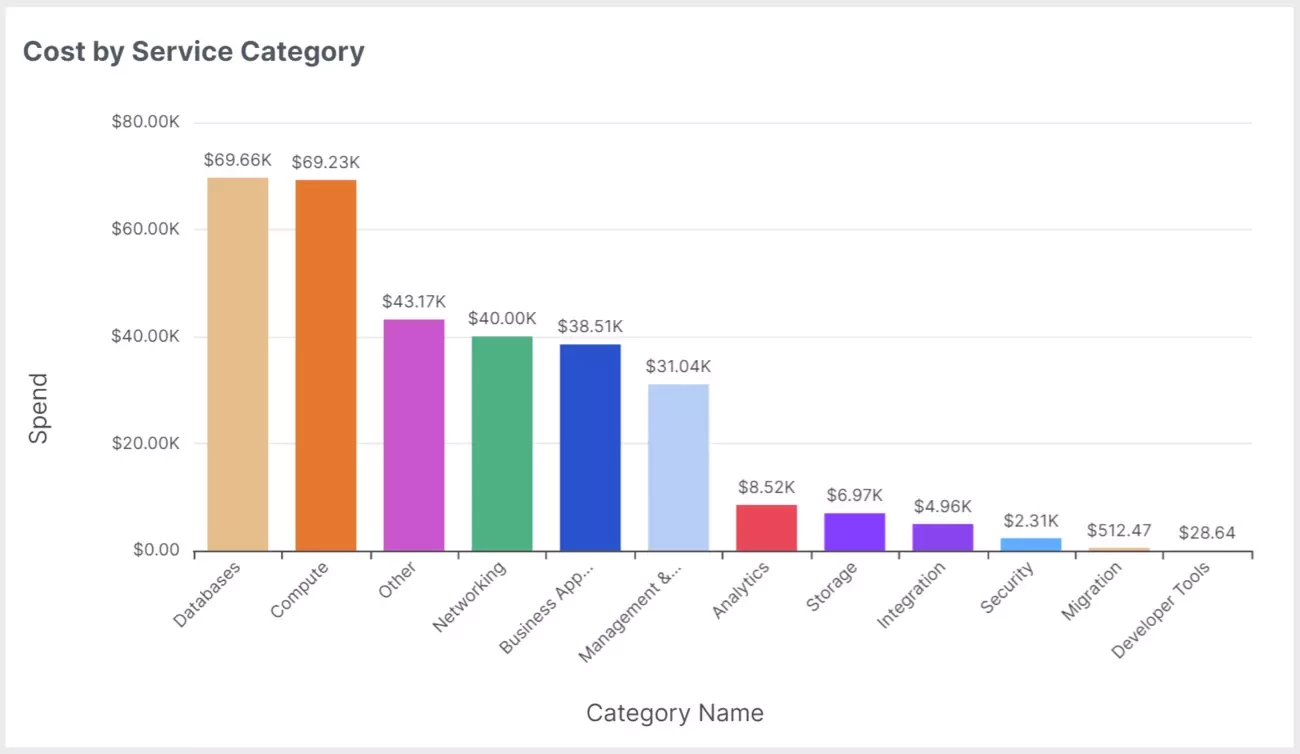
The Spend by Service Category panel, now available in the Cost Dashboard, gives users granular visibility into spend across accounts, enabling detailed cost tracking, cost optimization, and improved resource management.
Benefits
This pre-built dashboard panel delivers critical benefits to cloud engineers and leaders in managing their infrastructure. Aggregated, filterable data on spend by service provides:
- Granular visibility for budgeting: Having a detailed view of costs per service allows you to allocate budgets more accurately and plan for future growth. This visibility is essential for both internal reporting and strategic planning.
- Improved accountability: By associating costs with specific services, you can hold teams accountable for their usage.
- Enhanced resource management: When you can clearly see which AWS services are consuming the most resources, it becomes easier to optimize workloads.
- Cost optimization: Pinpoint where your cloud spend is concentrated—whether in compute, databases, networking, or storage—to identify areas for potential cost savings.
- Security and compliance costs: Understanding your costs for security tools and services helps ensure that your investments are aligned with business priorities.
- Data-driven decision making: Make informed decisions about future architecture changes or service adoptions by analyzing cost breakdowns.
- Cost awareness for engineering teams: Provide engineers visibility into the cost of the services they use to foster a culture of cost-awareness and supports FinOps.
Ask KAI
Let KAI interpret the graph's data to help you identify potential issues such and ways to fix them.
Updates:
The following Service Categories are included in the data with the bar graph displaying the top 10 categories by spend.
- AI & Machine Learning
- Analytics
- Business Applications
- Compute
- Databases
- Developer Tools
- Identity
- Integration
- Internet of Things
- Management & Governance
- Media
- Migration
- Networking
- Business Applications
- Security
- Storage
- Other - the following items are included:
- Amazon Elasticache
- Amazon CloudWatch Logs
- AWS CloudWatch
- AWS RoboMaker
- Amazon CloudSearch
- Amazon Simple Workflow Service (SWF)
- AWS Step Functions
Release Date: September 5, 2024
Feedback Form
Feedback Form
Summary:
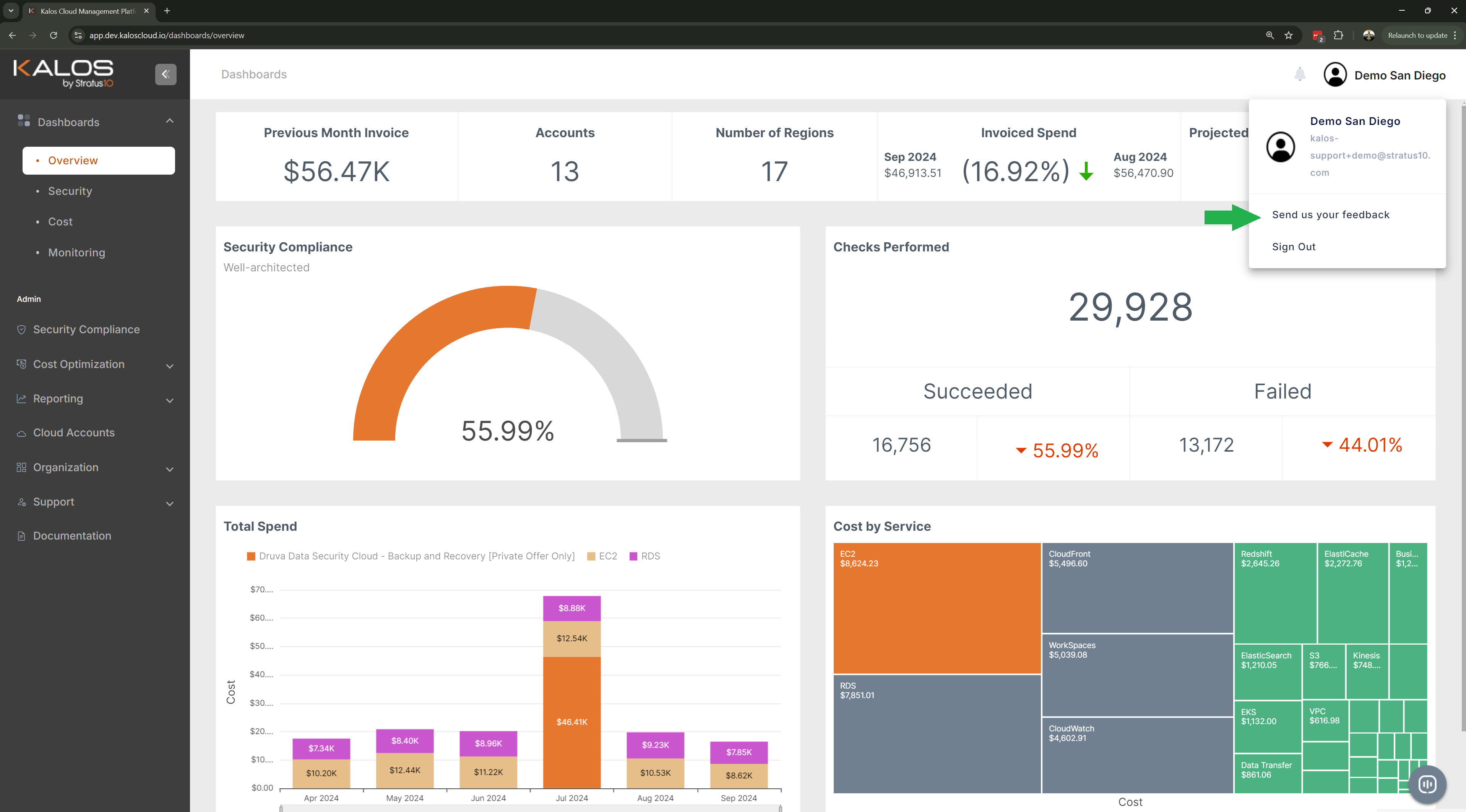
There is a new way to provide feedback on your Kalos experience by clicking on the "Send us your feedback" link under your user name.
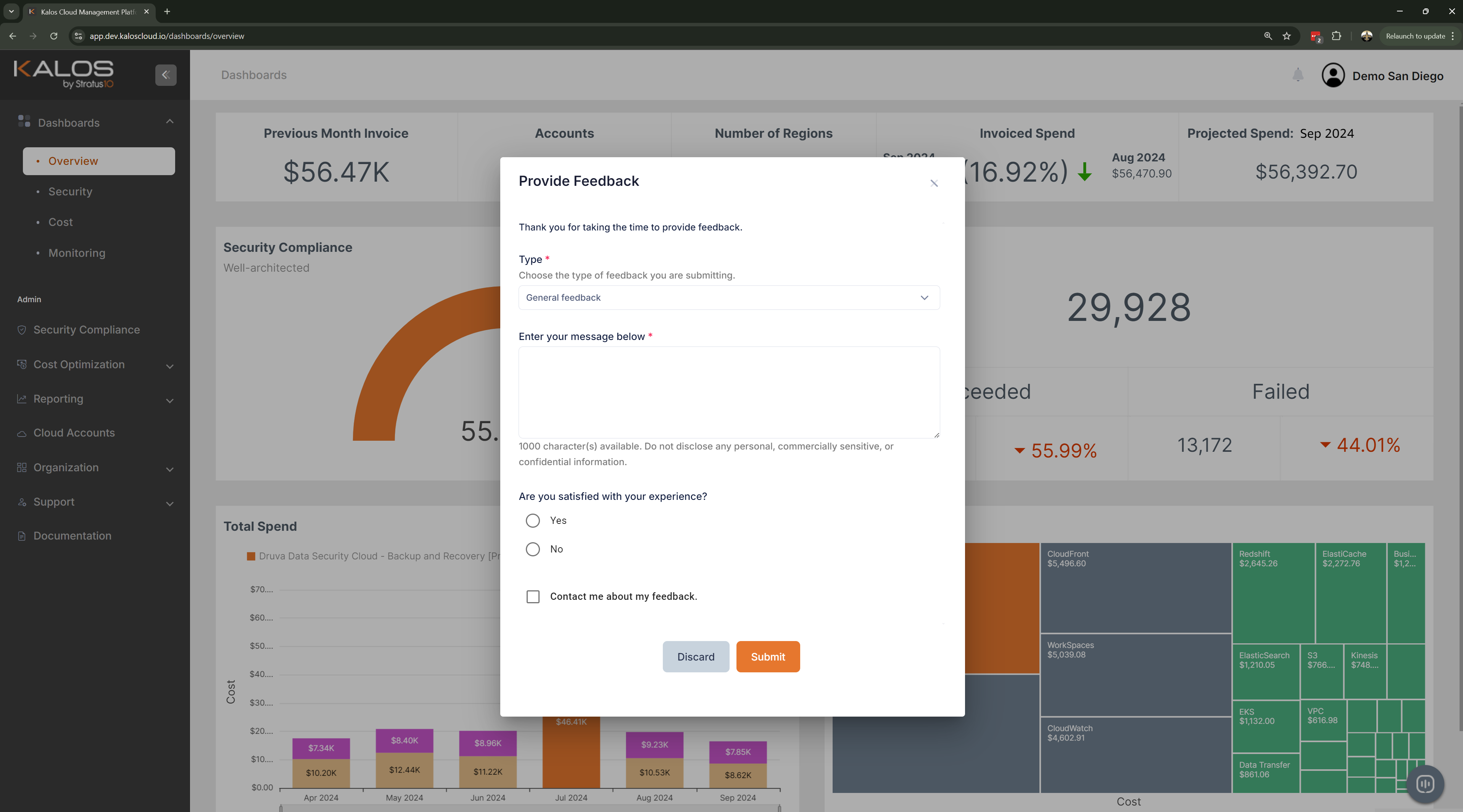
A feedback form will pop up for you to provide feedback on your experience with Kalos, request a specific feature, or any other items you think could be improved.
Updates:
Release Date: September 19, 2024
View Reservations in Cost Dashboard
View Reservations in Cost Dashboard
Summary:
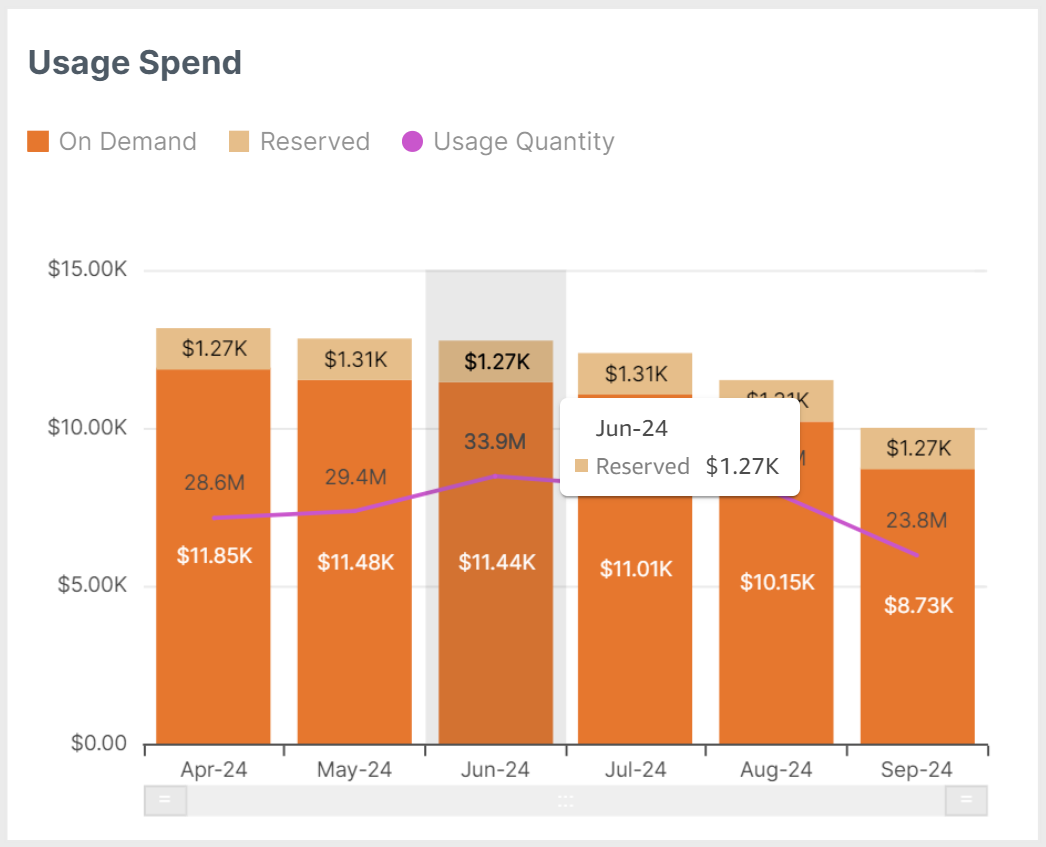
Reservation coverage has been added to the Usage Spend graph in the Cost Dashboard so you can see the what portion of your compute spend is reservations vs. on-demand.
Updates:
Release Date: September 19, 2024
Account Nicknames
Account Nicknames
Summary:
We've added the ability to assign a nickname to each of your cloud accounts so you can more easily identify them in across the Kalos platform.
You can edit the account nicknames by going to the Cloud Accounts page.
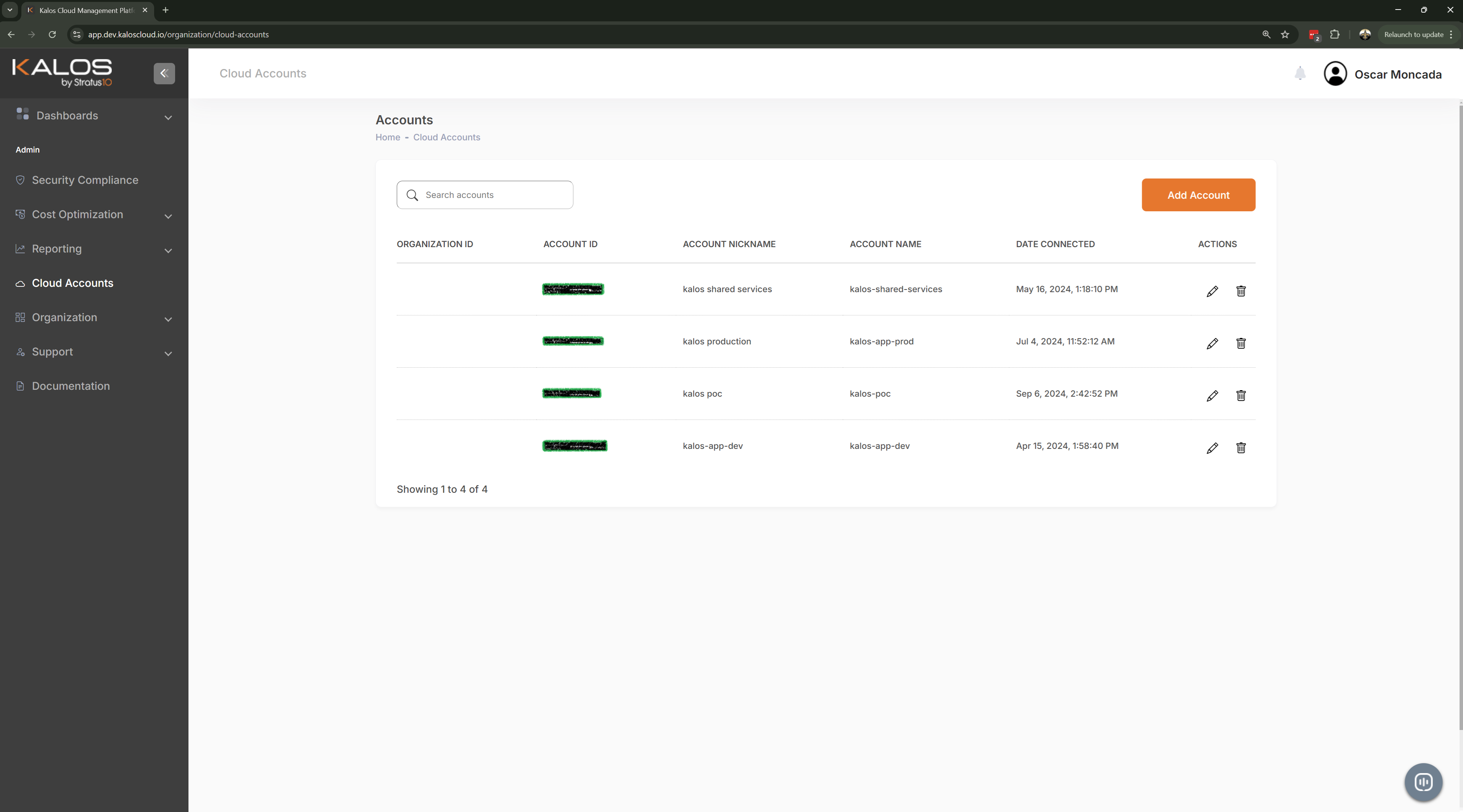
You will then be able to see the account nicknames on all account-related filters throughout the platform.
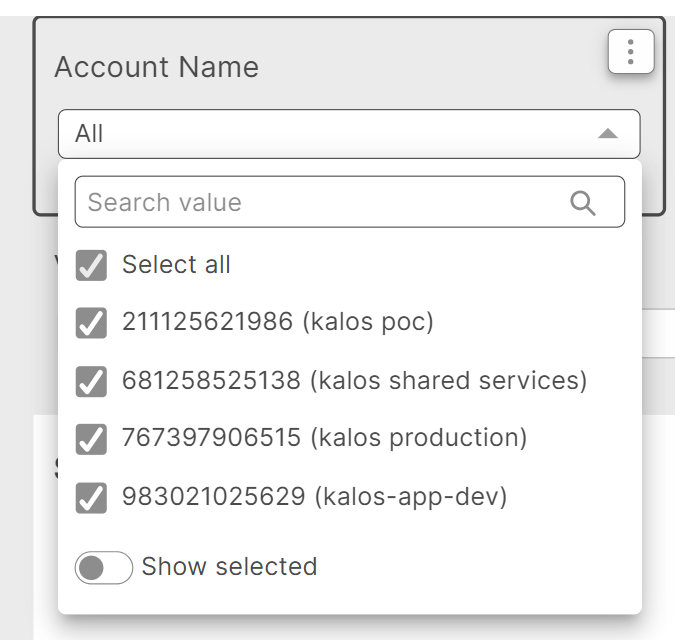
Updates:
Release Date: September 19, 2024
Enhancements to KAI's Answers
Enhancements to KAI's Answers
Summary:
KAI has been enhanced to better understand the configuration of your AWS infrastructure so you can ask questions regarding your infrastructure such as the following:
Which ec2 instance has the highest average CPU utilization over the past month?
Which RDS instance has the lowest amount of freeable memory?
What is the average CPU, memory, and storage utilization across different EC2 instances?
Updates:
Release Date: September 19, 2024
Pre-defined Questions within KAI
Pre-defined Questions within KAI
Summary:
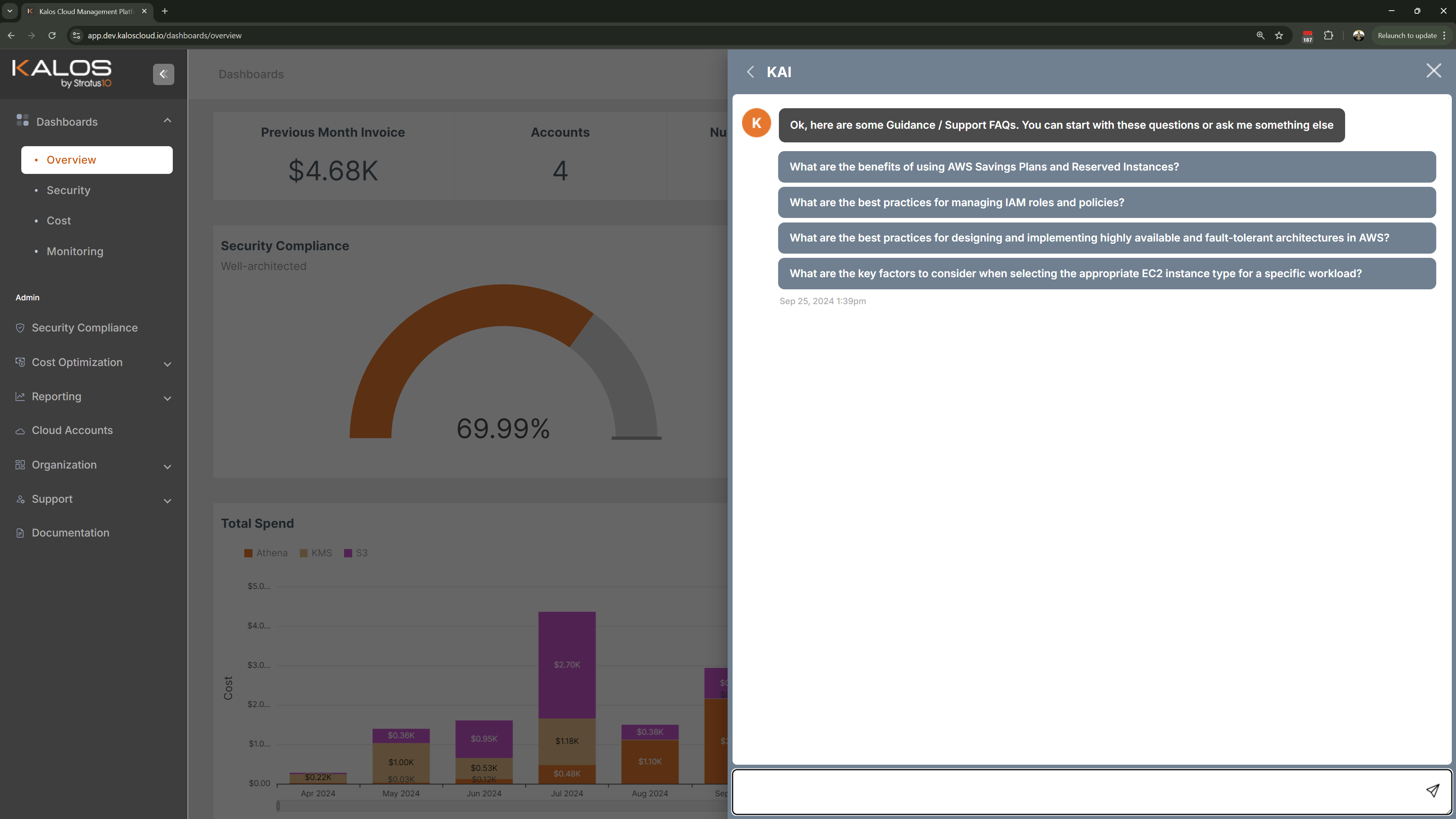
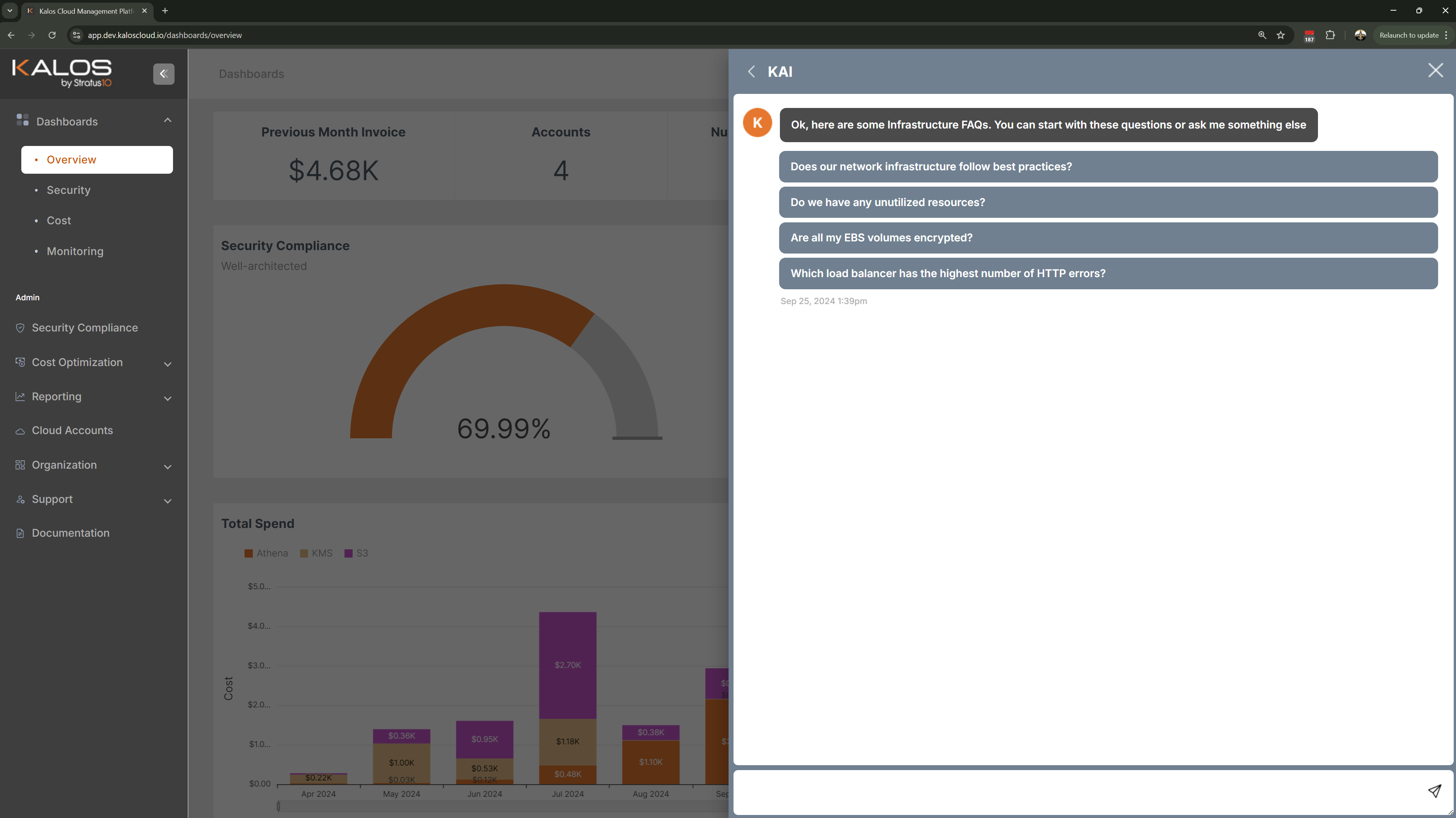
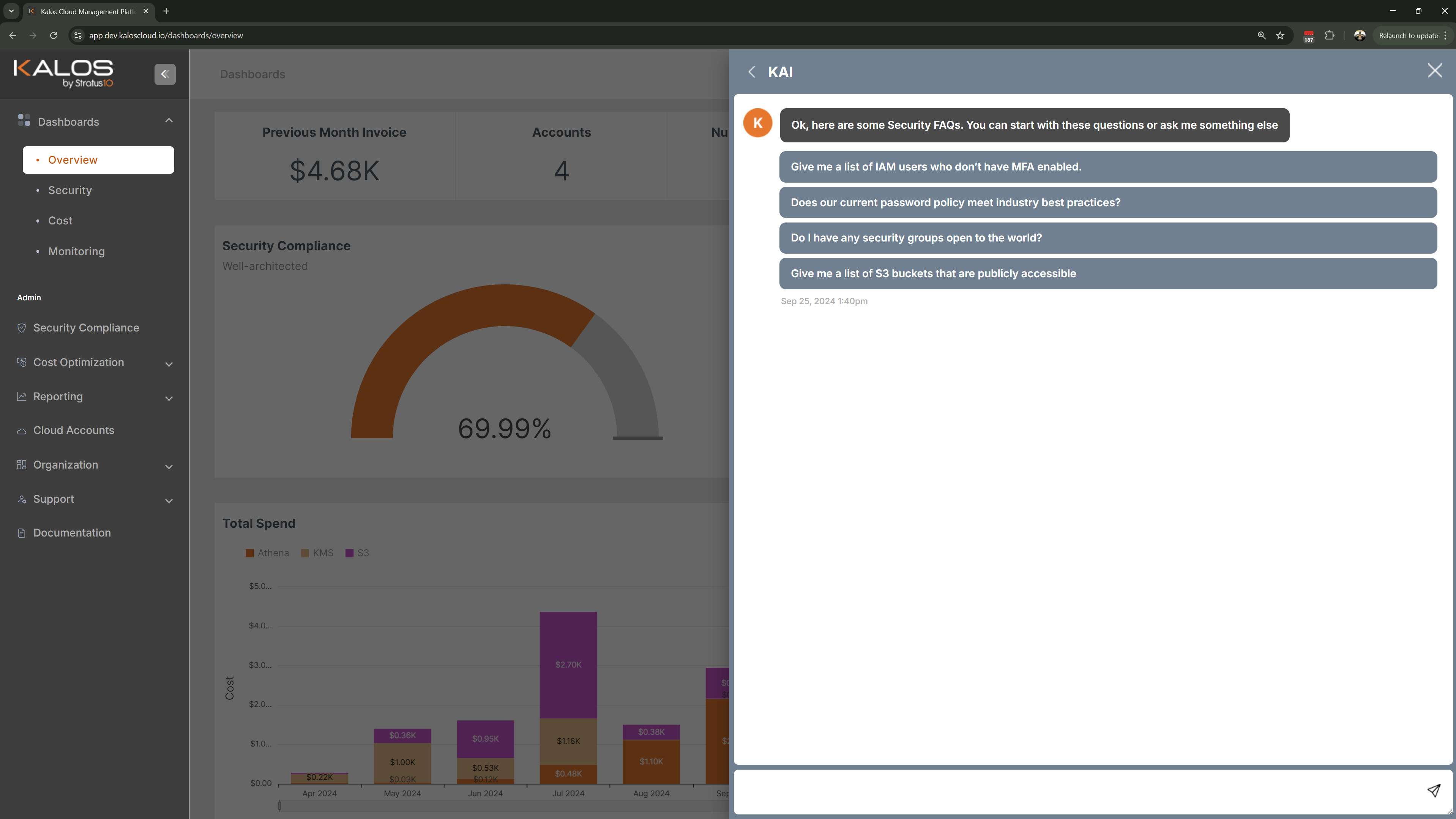
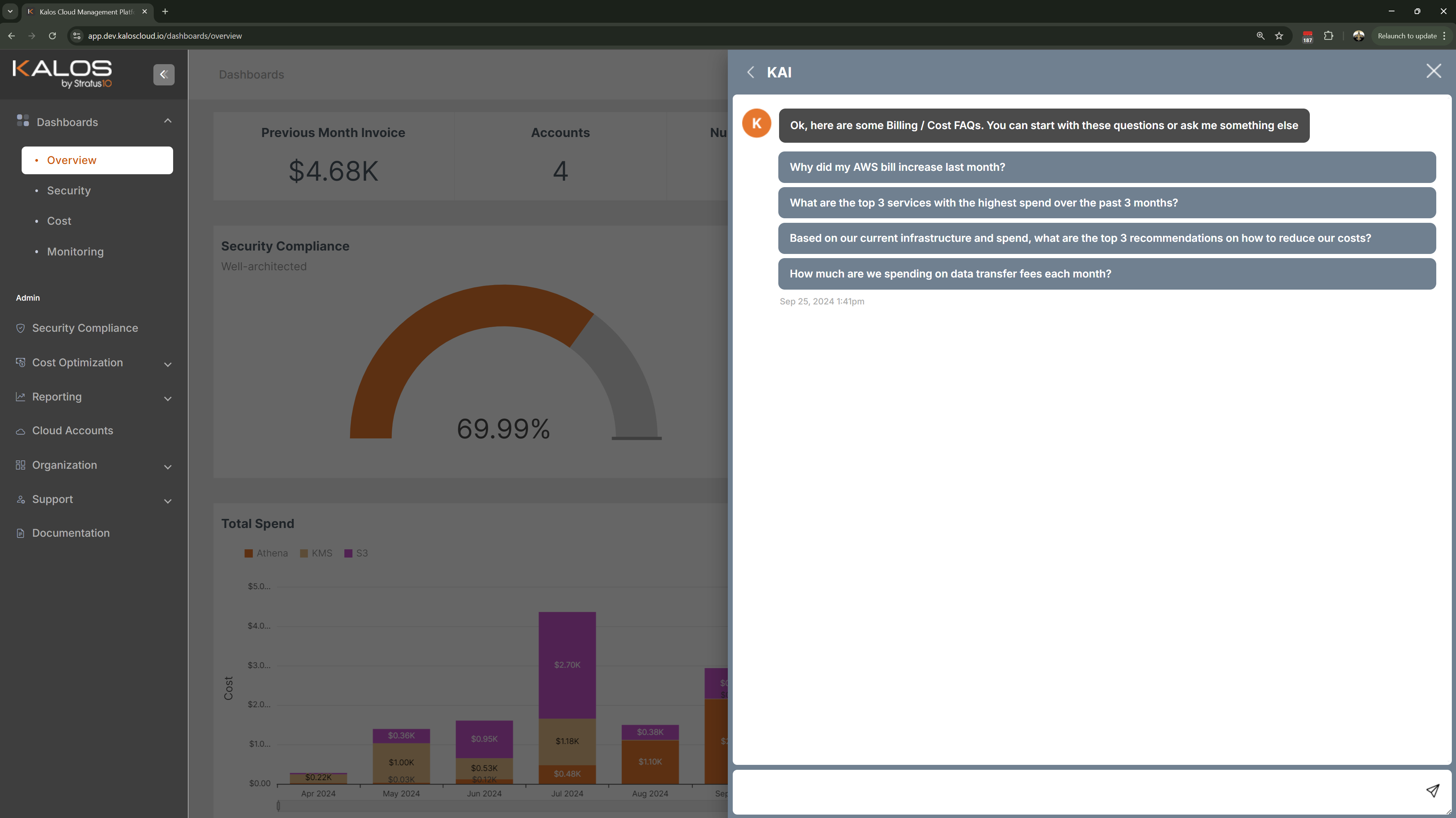
We've updated the predefined questions for each of the KAI Topics to show questions that provide better insights and to give you an idea of the different types of questions you can ask KAI.
Updates:
Release Date: September 19, 2024
2-Step Authentication
2-Step Authentication
Summary:
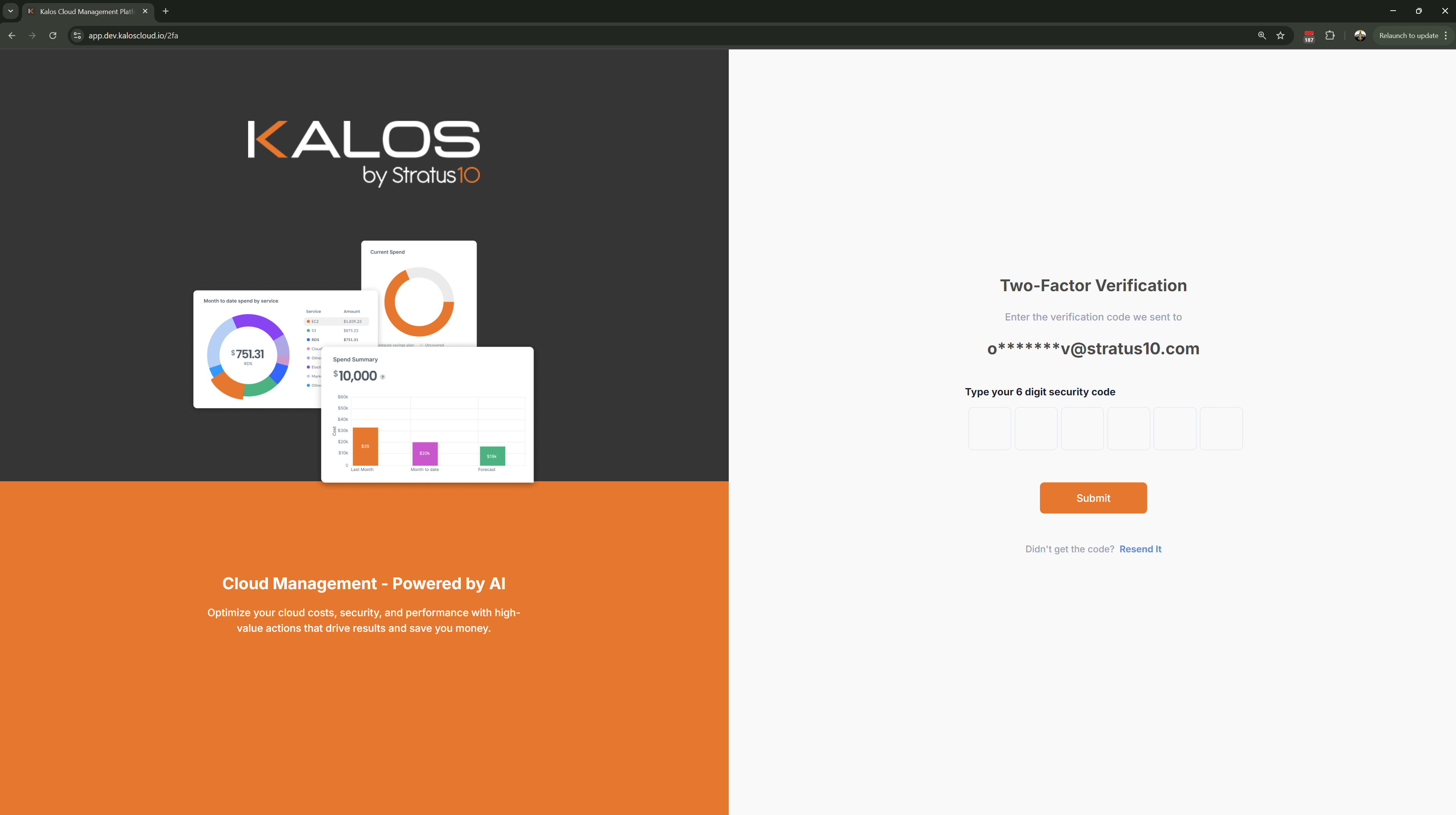
We've implemented the ability to enable 2-Factor (2-Step) Authentication for individual users in order to enhance security for the platform.
You can enable 2-Step Authentication by going to the View User Details screen and enabling the Two Step Authentication section. Enabling this functionality will automatically email the user a 6-digit security code every time they login and require the user to enter the valid code in order to log into Kalos.
Updates:
Release Date:
Bug Fixes
Bug Fixes
Summary:
The following bug fixes and improvements have been deployed:
- Issues with the number of security frameworks showing up on the Security Compliance screen
- Issues with the Risk History visual in the Security Compliance screen
- Password reset issues for new users
- Issues with session timeouts for certain users
- Enhancements to KAI's response to include recommendations for cost-related questions
- Issues with permissions for some Admin users
- Adjustments on calculations for the Cost dashboard
- Adjustments on calculations for the Security dashboard
- Issues with timestamp on KAI questions and responses
- Issues with the number of critical issues for some security frameworks being miscounted.
- Minor UI adjustments
- Query performance improvements for KAI
- Improvements during the onboarding process of new accounts into Kalos.