Kalos Release Notes - October 2024
Table of contents
Consolidated Billing Report
Consolidated Billing Report
Summary:
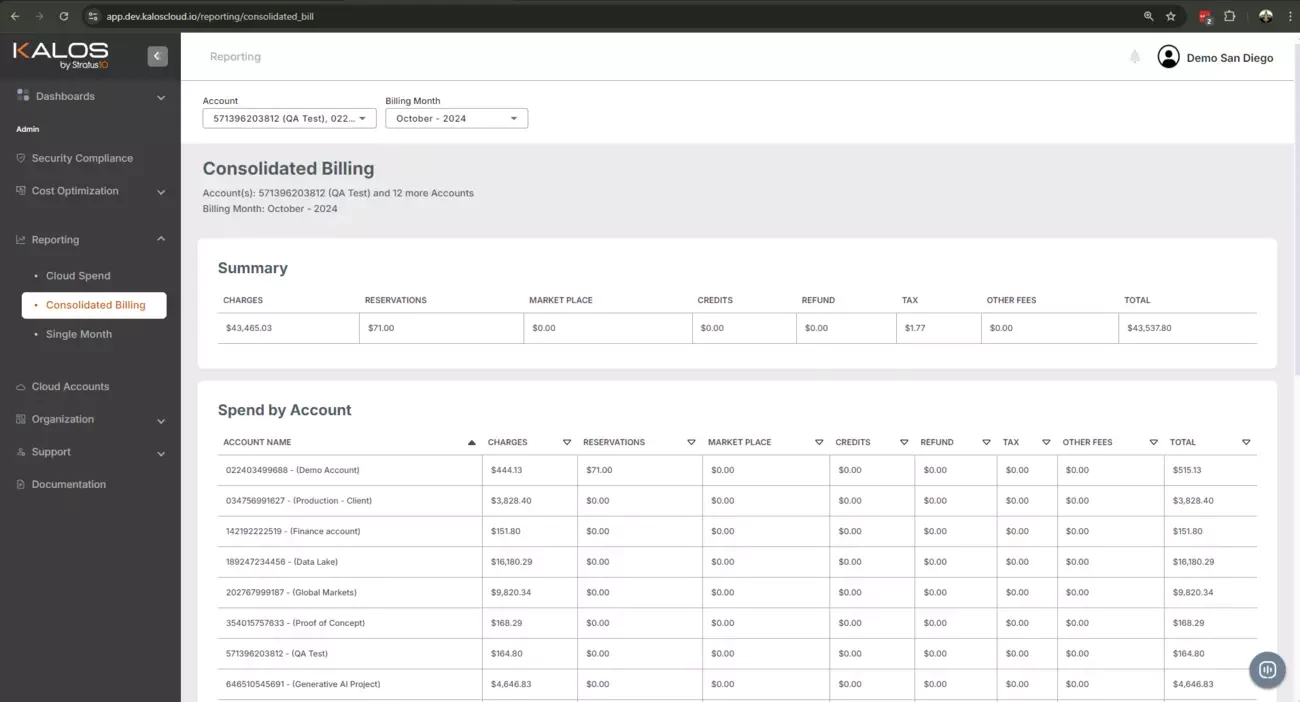
Enhanced reporting is now available in under the Reporting section in your Kalos dashboard. The Consolidated Billing report simplifies your multi-account billing management by providing a more comprehensive view of your AWS spend through a streamlined, three-section report. With sections dedicated to Summary, Spend by Account, and Spend by Service, you gain clear insights and better control over your cloud expenses.
Key Benefits
- View your aggregated monthly costs by account and service, allowing you to view charges across multiple AWS accounts in one place. No more running separate reports for each account—everything you need is in a single, comprehensive report.
- Easily filter data by account or month, making it simpler to track charges, reservation costs, credits, and refunds. The "Spend by Service" section helps you quickly pinpoint services with the highest costs, enabling more targeted optimization efforts.
- Efficiently identify spending trends and outliers, making it easier to manage budgets and forecast future costs. This improved visibility supports better financial planning and resource allocation.
Updates:
New Consolidated Billing section with:
- Summary
- Spend by Account
- Spend by Service
Release Date: October 25, 2024
Single Month Summary
Single Month Summary
Summary:
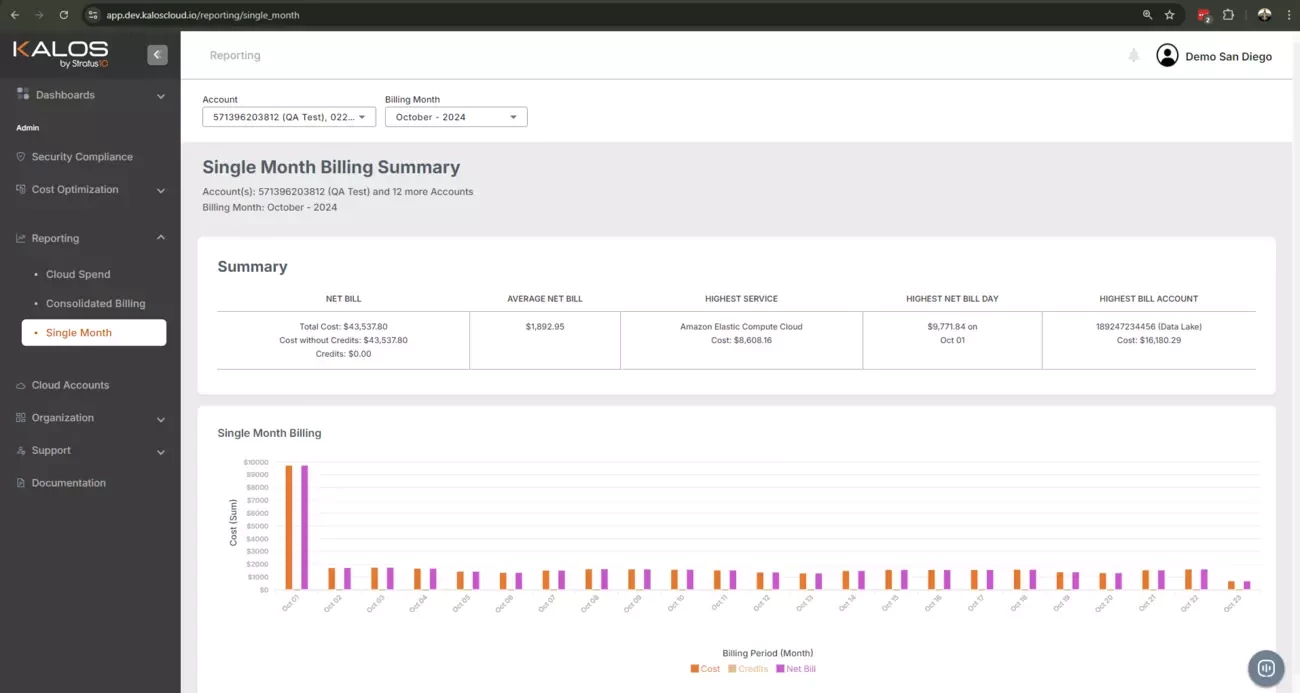
The new Single Month Billing Summary report delivers a powerful way to simplify your cloud cost management. This feature offers a detailed view of your daily AWS spend within a selected month across multiple accounts as well as your costs with and without credits.
Key Benefits
- Easily identify key spending patterns, including daily spend, the highest spending day of the month, and the services contributing most to your costs. This level of insight allows users to pinpoint specific days and services that drive higher expenses.
- Isolate data for one or more specific cloud accounts, enabling more precise analysis and control over your cloud spending. Adjust the Month filter to focus on specific periods, making it easier to track spending trends month-over-month.
- View credits and applied adjustments in the same report, enabling you to better understand the impact of discounts or promotional credits on your total spend, allowing for more accurate budget forecasting and improved cost-saving strategies.
Updates:
New Single Month Billing Summary section with:
- Net bill
- Total cost
- Cost without credits
- Credits
- Average net bill
- Highest service
- Highest net bill day
- Highest bill account
Release Date: October 25, 2024